3D part design with OpenSCAD #146: Using for loops to make a marking ruler

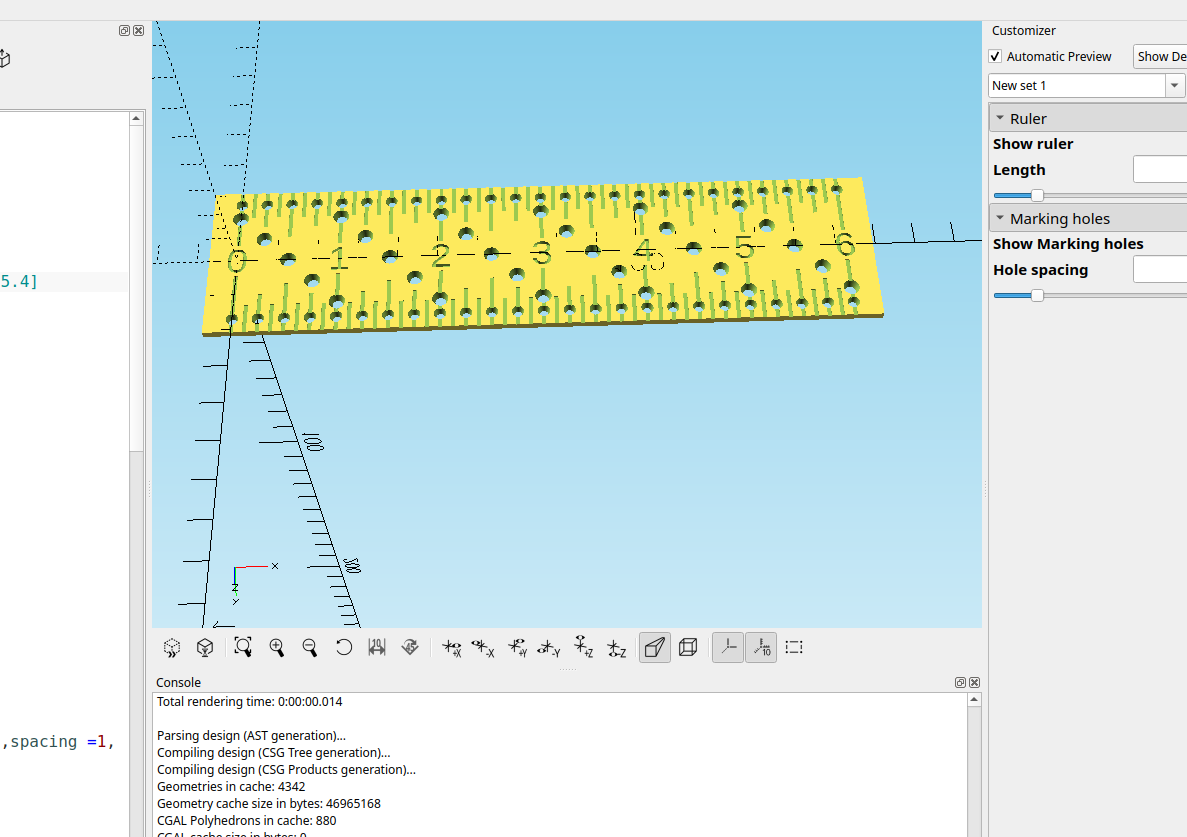
Sometimes it's helpful to use a for loop to automatically increment numbers, shapes or sizes. I wanted a marking ruler to do some hole layout in the top of a panel but I couldn't find anything locally so I made one in OpenSCAD and printed it out of some PET filament I made out of soda bottles.
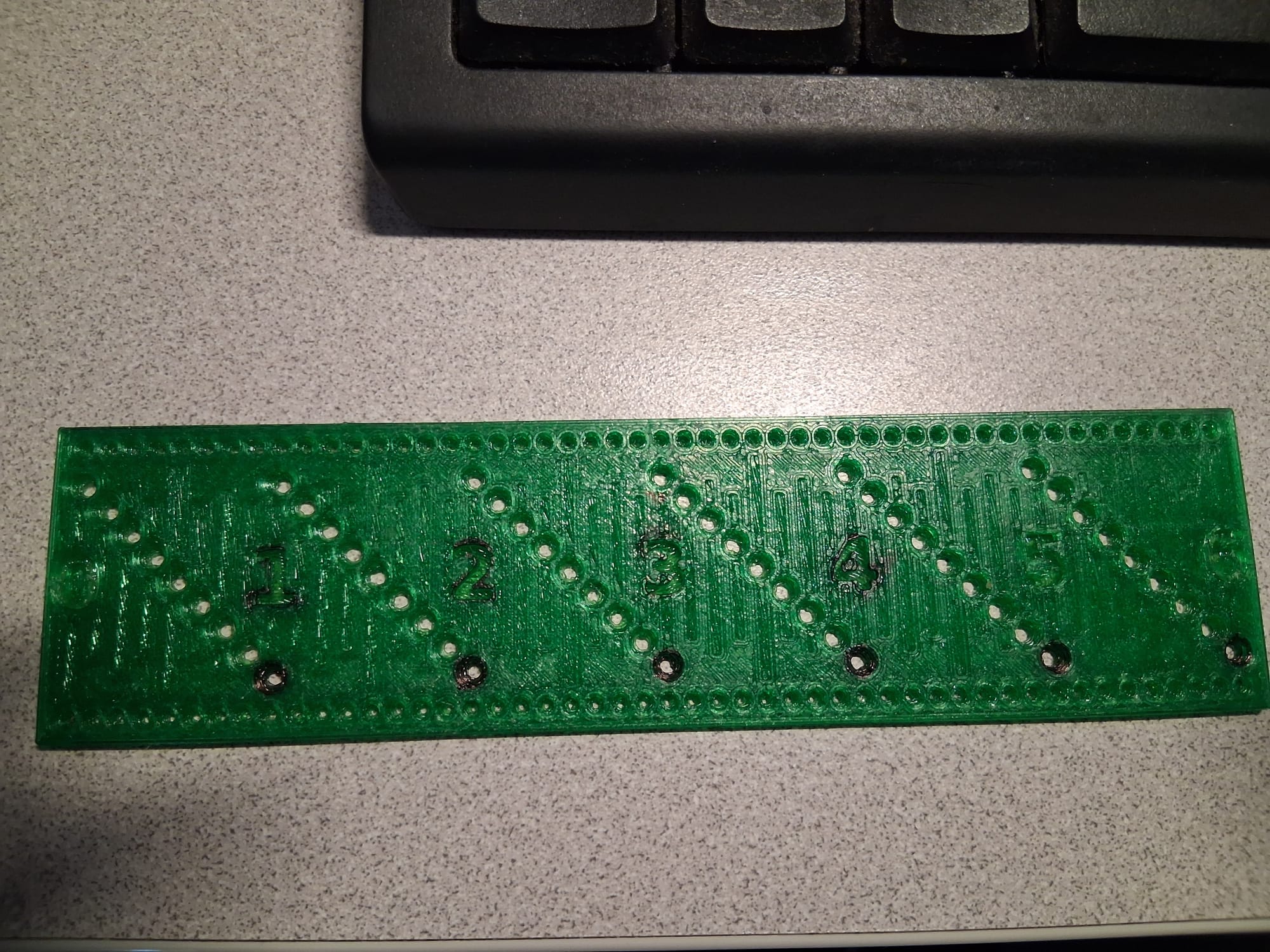
I made a few changes after I did this print, note the black marking is sharpie that I tried coloring in the numbers with but my sharpie is just about dried out. I also made the numbers and lines so they would print on the first layers so they will look good.
PET bottles make some really good filament. I highly recommend building or buying a pullstruder if you do a lot of printing, the price of free filament is hard to beat.
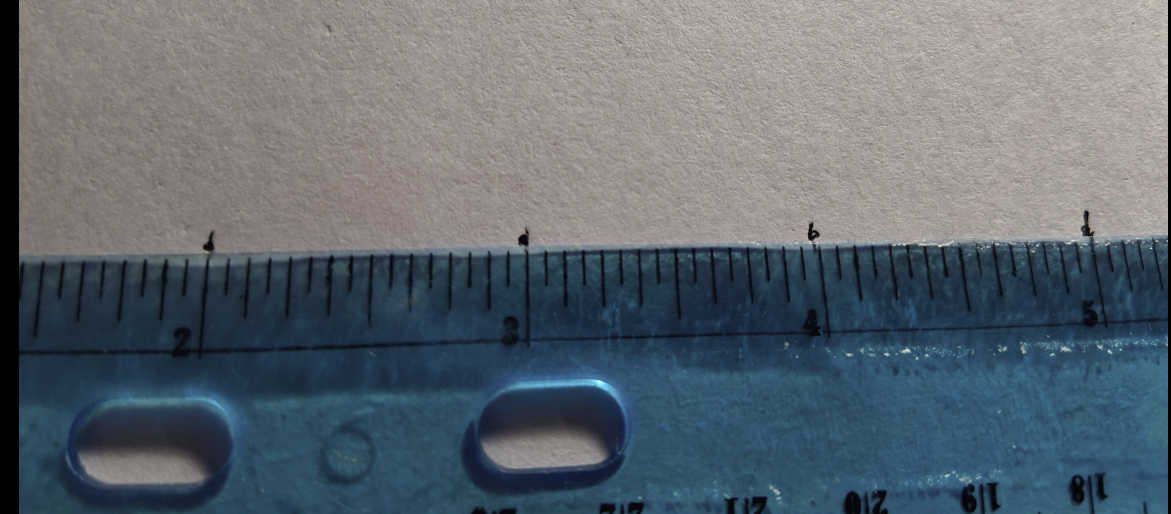
Is it accurate? Well according to the rulers I checked it with it is:
Here is the example code I made for the ruler:
//

/*[Ruler]*/
Show_ruler=true;
Length=152.4;//[25.4:25.4:914.4]

/*[Marking holes]*/
Show_Marking_holes=true;
Hole_spacing=3.1750;//[3.175:3.175:25.4]

module ruler(){
  rotate([0,-90,0])
  rotate([90,0,0])
  translate([0,-Length-7,-20.6375])
  cube([2,Length+14,41.275]);
}

module center_strip(){
  rotate([0,-90,0]){
  rotate([90,0,0])
  translate([0,-Length-7,-4.5])
  cube([2,Length+14,9]);
}}


module ruler_text(){
for(i=[0:Length/25.4]){
  mirror([0,1,0])
  translate([i*25.4,0,-1])
  linear_extrude(2)
  text(str(i),size=7,font ="",
    halign="center", valign="center",spacing =1,
    direction="ltr",$fn=100);
}}

module center_holes(){
 for(l=[0:25.4:Length-3]){
 for(j=[0:Hole_spacing:25.4])
  translate([j,j,0])
  translate([l,-12.7,0])
  cylinder(3,2,1,$fn=100);
}}

module side_holes(){
for(n=[0:Hole_spacing:Length]) {
  translate([n,-17,0])
  cylinder(4,1.5,.6,$fn=100);
  translate([n,17,0])
  cylinder(4,1.5,.6,$fn=100);
}}

module scale_lines(){

for(i=[0:25.4:Length]){
  translate([i,0,0])
  rotate([90,0,90])
  cube([41.275,.6,1],center=true);
}
for(i=[0:12.70:Length]){
  translate([i,16,0])
  rotate([90,0,90])
  cube([18,.6,1],center=true);
}
for(i=[0:6.35:Length]){
  translate([i,16,0])
  rotate([90,0,90])
  cube([12,.6,1],center=true);
}
for(i=[0:3.175:Length]){
  translate([i,18,0])
  rotate([90,0,90])
  cube([10,.6,1],center=true);
}}

render()
if(Show_ruler){
difference(){
  ruler();
  if(Show_Marking_holes){
  center_holes();
  side_holes();
}
  center_strip();
  scale_lines();
  mirror([0,1,0])
  scale_lines();
}}
render()
difference(){
  center_strip();
  ruler_text();
if(Show_Marking_holes)
  center_holes();
}
Right now the ruler is in inches and I will add to this so it will also be metric, it will be pretty simple to do.
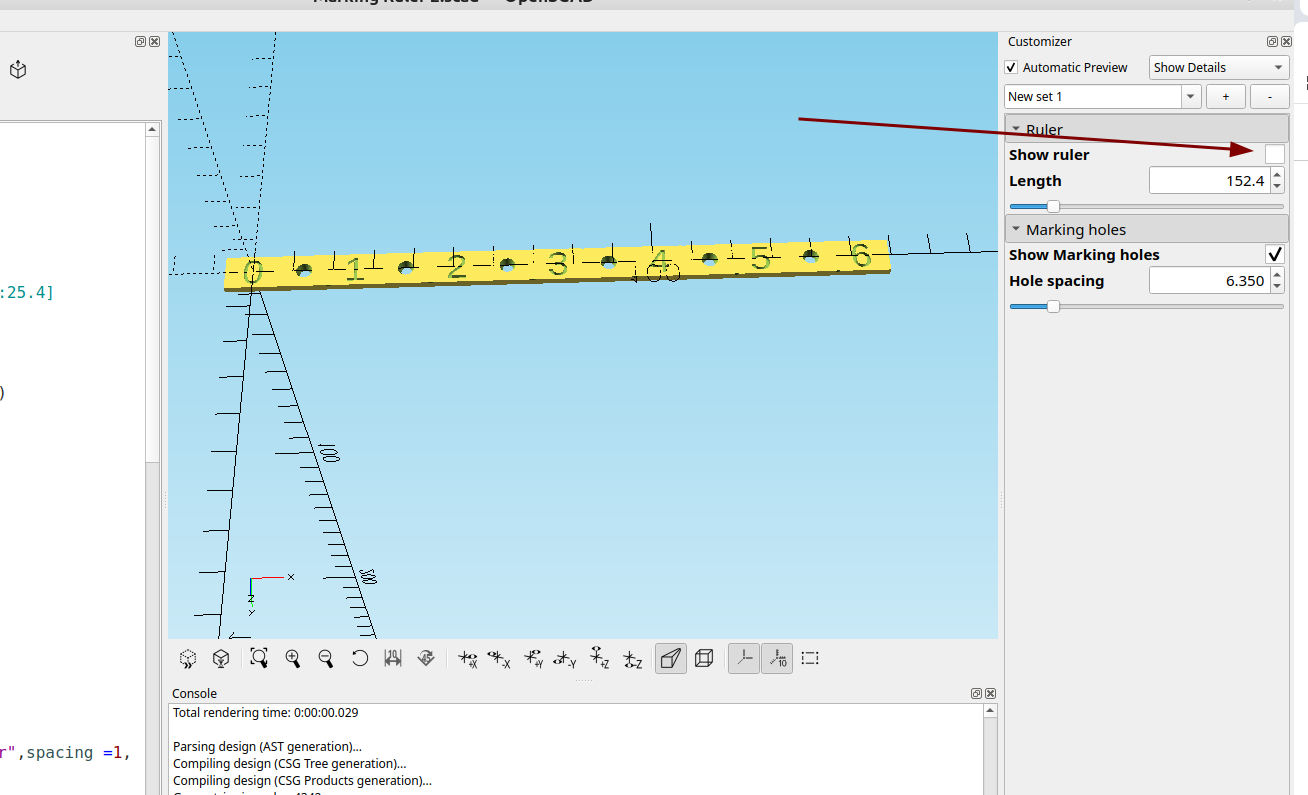
I did add a check box so you could print just the center strip to make circles, I will probably change the way the center holes are laid out, I thought putting them at an angle would make the holes fit better but after I added the side holes it looks like it wasn't necessary.
Anyway now that I have the basics figured out making modifications will be a breeze.